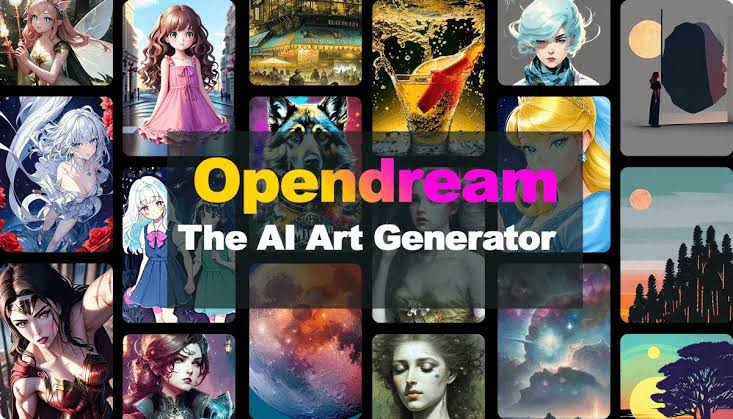
OpenDream AI Art has emerged as a practical option for anyone looking to turn written ideas into original digital images without specialized software or hardware. Launched around 2023 and accessible at opendream.ai, this browser-based platform relies on open-source Stable Diffusion models to generate artwork from simple text prompts. Users type a description, select a model or template, and receive results in seconds. No local GPU or coding knowledge is required, which makes it appealing to beginners, marketers, hobbyists, and designers seeking quick concept art, social media visuals, or commercial-ready graphics.
The platform positions itself as free to start, commercially friendly, and straightforward. Free accounts provide a limited daily credit allowance—typically around 24 credits—while paid plans expand access and speed. Every generated image carries commercial usage rights according to the service’s terms, allowing creators to use outputs in marketing materials, products, or publications without additional licensing, provided the content complies with the platform’s policies.
What Sets OpenDream Ai art
At its core, OpenDream functions as a cloud-hosted text-to-image system. Diffusion models learn patterns from large training datasets and construct new images from noise, guided by the user’s prompt. The process is deterministic enough that the same prompt and seed can produce consistent results, yet flexible enough for creative experimentation.
Four primary models power the service. Dreamlike Photoreal 2.0 focuses on realistic portraits, landscapes, and product-style shots, making it suitable for photographic-looking results. Dreamlike Anime 1.0 specializes in stylized characters, manga aesthetics, and Japanese animation looks—one of the stronger free options for that style. Stable Diffusion 2.1 serves as a versatile general-purpose model, while Deliberate offers more experimental and artistic freedom. Free users typically access only the first two models; paid subscribers unlock all four along with parallel generation and higher priority.
Templates and specialized generators further simplify the workflow. Users can start with presets for characters, logos, buildings, or specific aesthetics rather than building every prompt from scratch. Adjustable parameters such as aspect ratio, guidance scale, steps, and seed give intermediate control without overwhelming newcomers.
How to Create Images Effectively
Getting started takes only a couple of minutes. Visit the site, create a free account (no credit card required for the basic tier), and enter the generation interface. Choose a template if desired, write a clear prompt, select a model, and generate.
Prompt quality heavily influences output. A structured approach works best: begin with the main subject and action, add context and environment, specify composition and lighting, then finish with style and quality descriptors. For example, “a young woman standing in a sunlit café, soft window light, shallow depth of field, photorealistic, 85mm lens style” tends to produce more coherent results than a vague phrase. Adding style keywords such as “cinematic lighting,” “watercolor,” “cyberpunk,” or “anime style” steers the model effectively.
After generation, images can be downloaded as PNG or JPEG. Some plans support image-to-image transformation and inpainting, allowing selective edits to fix anatomy issues or refine specific regions without regenerating the entire picture. Iteration remains key—most users refine prompts across several generations to reach a satisfactory result.
Pricing and Practical Limits
The free tier offers daily credits sufficient for testing and light personal use. Once exhausted, users wait for the daily reset or upgrade. Paid plans commonly start around $10–$12 per month for several thousand credits and full model access, with higher tiers providing more volume, faster queues, and advanced features. Exact credit costs per image and plan names can shift, so checking the official pricing page remains essential.
Commercial rights apply across tiers, which distinguishes OpenDream from some competitors that restrict free outputs to personal use only. However, the platform’s older model base (primarily Stable Diffusion 2.1-era) means image quality sometimes lags behind newer tools. Common limitations include occasional soft edges, anatomy inconsistencies on complex poses, and weaker text rendering inside images. These trade-offs make OpenDream strong for accessible experimentation and moderate commercial needs rather than high-volume professional production requiring the latest model fidelity.
Comparing Strengths and Alternatives
OpenDream prioritizes ease of entry. Unlike Discord-based services or local installations, everything runs in a standard browser. It competes with Midjourney for artistic flair, DALL-E for natural language handling, and open-source Stable Diffusion setups for customization. Where it often wins is the combination of a genuine free daily allowance, commercial rights, and no installation barrier. Where it trails is in cutting-edge realism and consistency when compared to more recent proprietary models.
Best use cases include concept sketching, anime character design, social media content, fantasy illustrations, and early-stage product mockups. Creators who need rapid iteration without managing hardware or complex interfaces find the platform particularly useful. Those requiring the highest photorealism or precise control over every generation parameter may prefer alternatives with newer architectures or more advanced editing suites.
Practical Tips for Better Results
Experiment with seeds to lock in a composition while varying other elements. Combine model choice with prompt style tags rather than relying on one alone. Start simple and add detail gradually—overly long prompts can dilute focus. For commercial work, always review outputs carefully for unintended elements and confirm compliance with current terms of service.
OpenDream AI Art demonstrates how diffusion technology has become approachable for everyday creators. By removing technical hurdles and offering commercial flexibility, it lowers the barrier to generating original visuals. While it may not lead the market in absolute quality, its combination of free access, multiple specialized models, and straightforward workflow continues to serve a wide audience of users who value speed and simplicity over the absolute latest model capabilities. As with any AI image tool, results improve with practice, clear prompting, and realistic expectations about the underlying technology’s strengths and limits.